Tickers (/platform/tickers) is the global symbol catalog. PlatformUser staff publish symbols here. Subscribers never create tickers — Watchlist Add only lists active catalog rows. Analyze uses the subscriber watchlist, not this page.
Screen overview
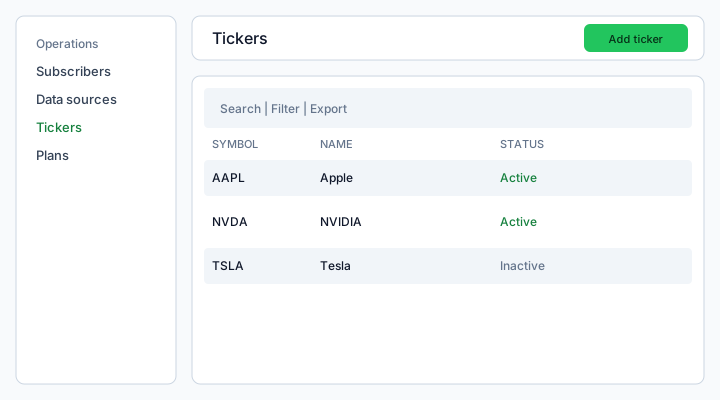
Figure: Operations → Tickers — search, Filter, Export, Add ticker, and row Edit / Activate / Deactivate / Delete.
What each column means
Symbol
Unique uppercase identifier (AAPL). Duplicate symbols are rejected on create. Not a broker order id.
Name
Human label shown on subscriber Watchlist and Paper diary (for example Apple). Editable later; subscribers cannot change it.
Status
- Active — eligible for new watchlist adds and runnable scans
- Inactive — hidden from Add ticker; existing watchlist rows become Unavailable for scans until you activate again
There is no date column (same as Watchlist).
How to use
- Open Operations → Tickers.
- Add ticker — symbol + name + Active. This is a form modal, not a credentials wizard.
- ⋮ Edit to rename; Activate / Deactivate to publish or hide.
- Delete / bulk delete is blocked with 409 while any subscriber watchlist still references the symbol.
Permissions (platform.tickers.*)
- read — list (nav hidden without it)
- create — Add ticker
- update — Edit, Activate, Deactivate
- delete — row and bulk delete (blocked when in use)
See also: Platform data sources · Watchlist · Platform SaaS Plans.