Platform branding is the base of the Location → Tenant → Platform cascade. Values saved here apply to public menus, emails, and marketplace accents when a business has not set its own logo or colors.
Screen overview
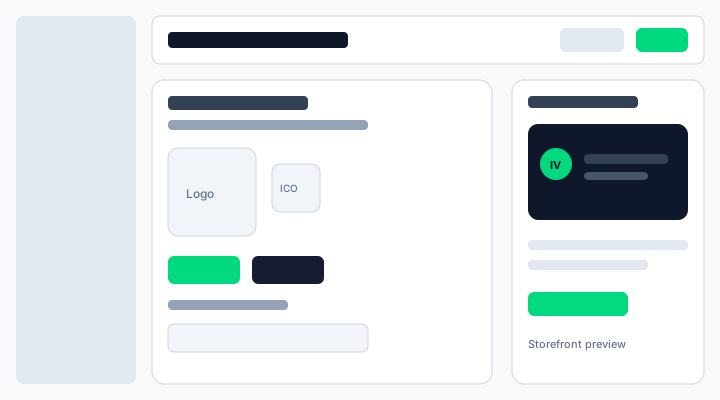
Figure: Platform defaults — logo, favicon, primary and secondary colors, with storefront preview.
What each setting means
Logo
Square mark used when tenants (and locations) leave logo empty. PNG or JPG recommended.
Favicon
Browser-tab style icon. Empty keeps the IVPrior default favicon path.
Primary / Secondary color
Hex brand colors (#RRGGBB). Empty keeps the hardcoded IVPrior fallback (#00D97E / #181C32). Save is blocked if contrast fails accessibility checks against the reference background.
Storefront preview
Live preview of how a business storefront card looks with the effective platform defaults.
Why this matters
Ops can change marketplace and cascade defaults without a code deploy. Tenant branding and Location overrides stay unchanged — they still win when set.
Permissions
- Read (
platform.settings.branding.read): open the page. - Write (
platform.settings.branding.update): upload assets and Save.
Assign either permission via Access → Roles / Users.
Steps
- Open Settings → Branding (
/platform/settings/branding). - Upload logo/favicon and/or pick colors (or leave empty for built-in fallback).
- Check the storefront preview.
- Click Save. Public surfaces pick up the new defaults on the next fetch (marketing CSS vars revalidate within about a minute).