Scanner usage (/platform/reports/scanner-usage) shows how many scans completed, skipped, or failed per Subscriber account in the selected period. Day buckets use America/New_York.
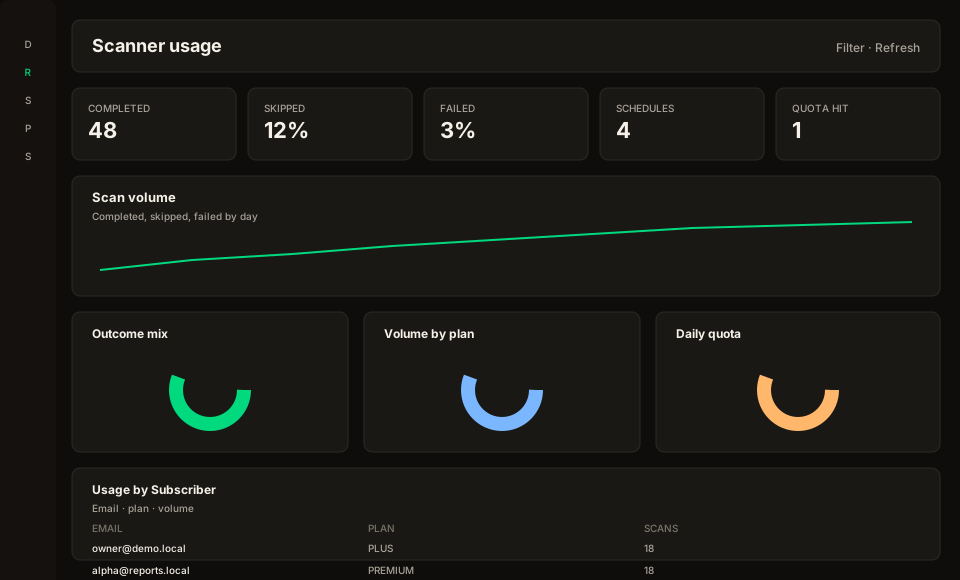
Figure: Scanner usage — volume KPIs and per-Subscriber table (no symbols).
Staff must not see opportunity payloads, symbols, premiums, or strategy suggestions on this screen. Click a row to open /platform/subscribers (search prefilled when an email exists).
Use Filter and Refresh in the page toolbar (optional auto-refresh intervals) — same chrome as SaaS metrics and the Subscriber dashboard.
KPIs
- Scans completed — finished jobs (ANALYZE excluded)
- Skipped — schedule runs skipped (quota, holiday, weekend, lock)
- Failed — jobs that ended FAILED
- Active schedules — accounts with at least one active schedule
- Quota hit — accounts that hit the daily scan cap. Unlimited plans show —, not a fake 0%.
Export and access
Same gates as SaaS metrics: platform.analytics.read to view, platform.analytics.export to download. Export is aggregated usage, not a dump of opportunities.