The Dashboard at /platform is the ops home for IVPrior platform operators (S-051).
Use it for SaaS / subscription health — not order GMV. Sales analytics live under Analytics (/platform/analytics).
Screen overview
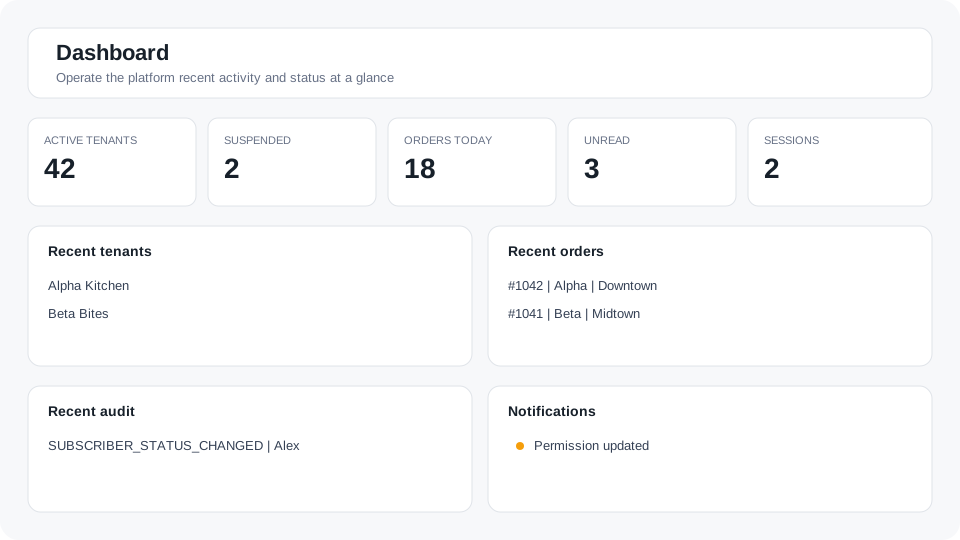
Figure: Platform ops home — KPIs and recent activity feeds.
What each KPI means
Plan revenue
Monthly recurring revenue (MRR) from IVPrior plans: sum of each paying subscription × that plan’s monthly price. Paying means subscription status active or past_due.
This is not marketplace or Location order sales. A busy tenant on a cheap plan can show low Plan revenue here while Analytics shows high GMV.
Paying tenants
How many tenants currently have a paying subscription (active / past_due).
On free trial
How many subscriptions are in trialing.
Suspended tenants
Tenants with status Suspended — need attention, independent of plan MRR.
Active sessions
How many of your platform devices / refresh sessions are active. Opens your account sessions list.
Plan mix
Donut and table of tenants and monthly income by plan (Lite / Plus / Premium). ARR shown where applicable is typically MRR × 12.
Feeds
- Active sessions — jump to your devices.
- Recent audit — latest audit events; jump to the full Audit log.
- Header bell — notifications (separate from this page).
How to use it
- Sign in at
/platform/login— you land on Dashboard (/platform). - Review SaaS KPIs and feeds; click a KPI or View all for the full list.
- Open Analytics for cross-tenant order GMV, trends, and filters (UTC).
- Use Tenants / Orders for support workflows.
See also: Platform admin console for Analytics GMV rules and tenant tools.