Your Watchlist (/app/scanner/watchlist) is the short list of symbols you follow. Add only active tickers from the platform catalog. Scans without a Plan universe use this list. Analyze’s ticker combobox is this list too (runnable rows only).
Screen overview
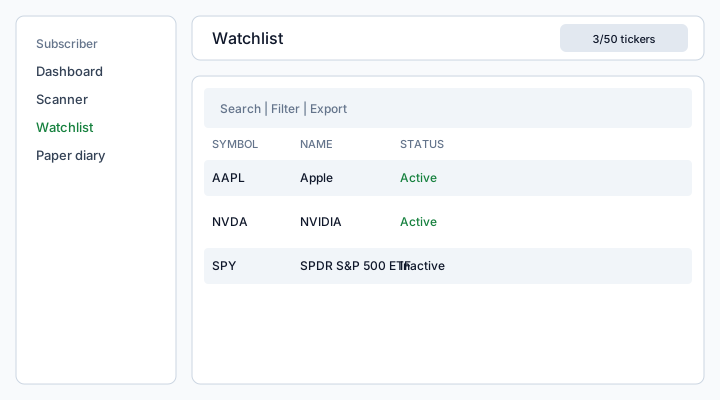
Figure: Watchlist — Add ticker, search, Filter, Export, checkboxes, and row Activate/Deactivate/Delete.
What each column means
Symbol
Underlying ticker, always uppercase (AAPL). You cannot type a free symbol — it must exist and be Active in Platform tickers.
Name
Display name copied from the platform catalog (for example Apple). If the catalog has no name, the cell shows an em dash. Name is not editable on the watchlist.
Status
- Active — included in scans and Analyze (
watchlist.activeis on and the catalog ticker is still active) - Inactive — you turned the row off without deleting it; it still counts toward the Plan max
- Unavailable — the catalog ticker was deactivated; you cannot run it until platform staff activate it again
There is no date column on this list (unlike Paper diary).
How to use
- Open Scanner → Watchlist.
- Add ticker and pick from the catalog (symbols already on the list are hidden).
- Use ⋮ Activate / Deactivate to include or skip a symbol without deleting it.
- Delete or bulk-delete removes the row from your list only — the platform catalog stays.
- Filter by status; Export is in the table toolbar.
Limits
The badge {count}/{max} tickers is maxWatchlistTickers on your Plan. Saving over the cap returns an error. Duplicate symbols are rejected.
See also: Scanner · Analyze a ticker · Platform tickers.