When a scan job finishes (manual Run scan or a schedule), IVPrior can notify you in the app (toast) and by email. The alert is a recap of that job, not a broker order and not personalized investment advice.
Screen overview
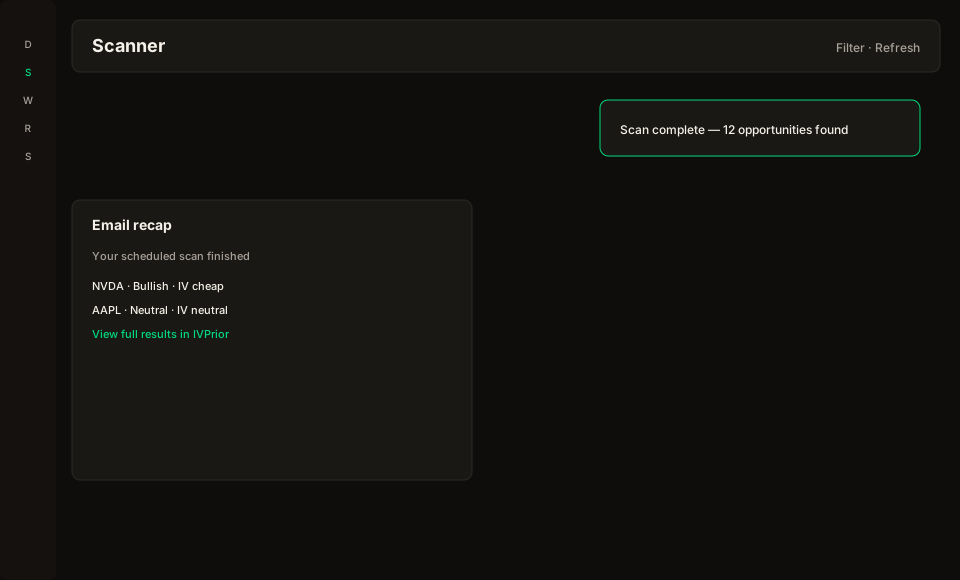
Figure: in-app toast with Open job, plus the email recap (setup count, tickers, research disclaimer).
What you will see
- How many ideas cleared the filter (setups). Zero is a valid outcome.
- Up to 12 ticker symbols from that run.
- The scan type in words (Opportunities, Analyze, Screener, Backtest, Bollinger).
- A research-tool disclaimer.
- A button back to the job results.
Setups vs “nothing happened”
A setup is an idea the scanner ranked for review (ticker + direction + IV regime). It is not an order.
Zero setups means nothing cleared the filter this time. Waiting can be the decision. It is not a product failure.
Failed or skipped runs
- Failed — the engine or data source errored. Open the job for the error text and retry if you have quota.
- Skipped — common human reasons: the daily scan quota was used up, the US market was closed (weekend or NYSE holiday), or a previous run is still in progress. The alert uses those words, not codes like
quota.
What this is not
IVPrior is a research tool. Alerts do not place trades, connect to a broker, or tell you to buy or sell.
See also: Scan results · Scheduled scans.