After subscriber sign-up, IVPrior may send a welcome email confirming your account and next steps. Content uses platform branding (IVPrior mark and colors), not your workspace branding.
Screen overview
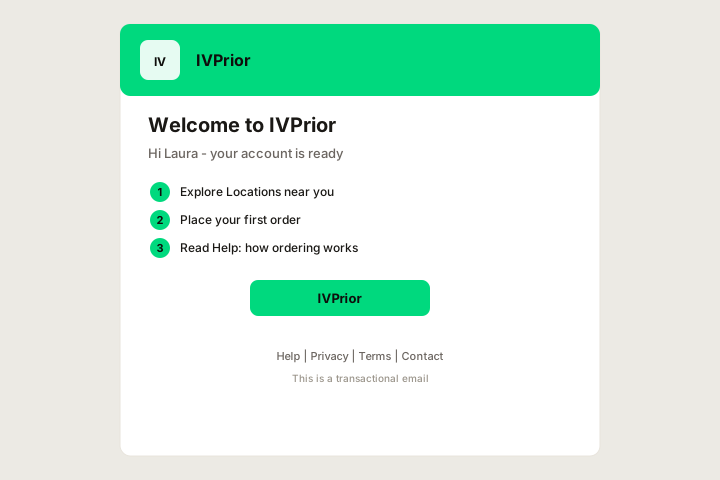
Figure: Platform-branded welcome email with hero illustration, IVPrior mark, checklist, and Help footer (S-054).
Subscriber welcome (owner signup)
Sent when a trader finishes subscriber sign-up. Subject: "Welcome to IVPrior — [workspace name]". Body lists workspace name, optional workspace label, and owner email.
Checklist in the email:
- Confirm your plan and 14-day trial window.
- Install the CLI for daily
--oportunidadesscans (make cli-install). - Open your workspace at
/s/{slug}for billing and settings.
CTA: Open admin panel → /s/{your-slug}.
Account-ready email (customer scaffold)
The factory template may still send a shorter account ready message for legacy customer registration flows. IVPrior product focus is the subscriber trial above — ignore marketplace/ordering steps if you see them in older templates.
Footer links
- Help articles: Welcome · What is IVPrior?
- Social icons — only networks enabled in platform settings
- Legal links from platform configuration
If you did not sign up
Ignore the email or contact support at support@ivprior.com.